Managing Entra ID as Code with Terraform
Table of Contents
Introduction
Microsoft Entra ID is part of the security boundary for almost every Microsoft cloud environment. That makes manual changes in the portal harder to reason about as a tenant grows.
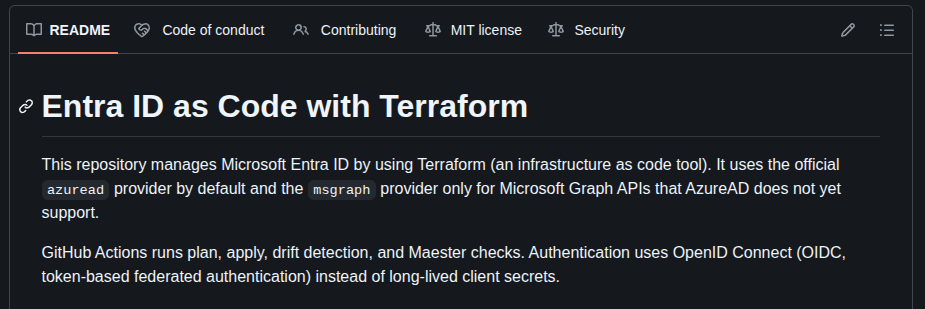
I wanted a better way to describe changes, review them, test them, and apply them with a repeatable process. This repository is my working example of that approach - Entra ID managed with Terraform, reviewed through GitHub, and checked with automated security tests via Maester.
The aim is a practical starting point for teams that want identity changes to be traceable and repeatable without treating automation as a substitute for operational judgement.
This is not an attempt to hide the complexity of identity management behind a single module. Entra has provider gaps, singleton tenant policies, sensitive rollout decisions, and permissions that need careful review. The repository keeps those details visible.
Repository
The complete Terraform configuration, GitHub Actions workflows, runbooks, and security guidance are available in the Entra ID as Code repository.
What the repository does
The Terraform configuration currently covers several parts of an Entra tenant:
- Tenant organisation settings and core policies.
- Conditional Access policies and named locations.
- Authentication strength and authentication method policies.
- Security defaults, authorisation, and external identities policies.
- Group lifecycle settings and the Conditional Access exclusion group.
- Cross-tenant access configuration.
- A dedicated application registration for Maester security tests.
Some of these resources use the typed azuread_* resources from the AzureAD provider. Others use msgraph_resource because the AzureAD provider does not expose the required Microsoft Graph endpoint or fields yet.
That provider boundary is deliberate. I prefer a typed resource when one exists because it gives Terraform a clearer schema and a more familiar interface. Microsoft Graph remains useful for the parts of Entra that are not covered by the provider.
How I use it
The normal workflow is simple:
- Change Terraform configuration in a branch.
- Open a pull request against
main. - Let GitHub Actions run formatting, linting, validation, and a Terraform plan.
- Review the plan and any security implications.
- Merge the approved change.
- Let the main-branch workflow apply the configuration.
Workflow overview
The pull request plan makes the proposed tenant change visible before it is applied. This matters most for Conditional Access, authentication methods, and cross-tenant access, where a technically valid change can still have a large operational impact.
For local work, the same checks can be run from the terraform directory:
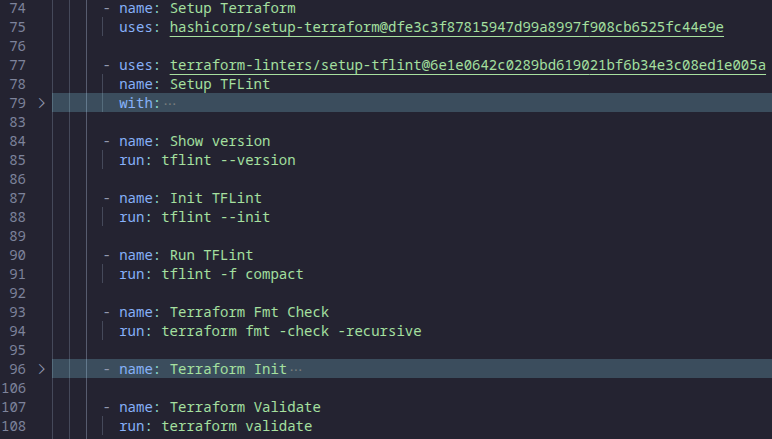
terraform fmt -check -diff
terraform init
terraform validate
terraform plan
The backend stores Terraform state in Azure Blob Storage. The GitHub workflows authenticate to Azure and Entra with OpenID Connect (OIDC), using short-lived federated tokens instead of a long-lived client secret in GitHub.
The workflow around Terraform
Terraform is only one part of the repository. The GitHub Actions workflows provide the delivery and feedback loop around it.
Pull request plans
Every relevant pull request gets a plan. The reusable workflow runs tflint, terraform fmt, terraform init, terraform validate, and terraform plan. The result is uploaded as an artifact and summarised in the pull request.
Apply on merge
Changes merged to main use the same reusable workflow with the apply command. Keeping plan and apply in the same workflow path reduces the chance that the two operations behave differently.
Drift detection
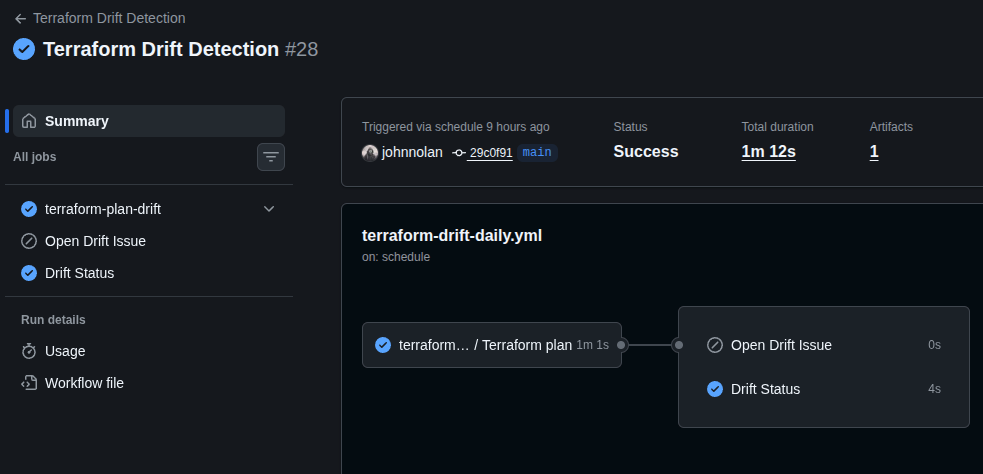
The daily drift workflow runs a detailed Terraform plan. When the tenant no longer matches the configuration, the workflow creates or updates a GitHub issue with the plan details.
A drifted plan could mean someone has made a change through the portal, another automation process has changed the tenant, or Terraform isn't managing the resource correctly. Creating an issue means I can investigate it rather than discovering the difference during a later deployment.
Maester checks
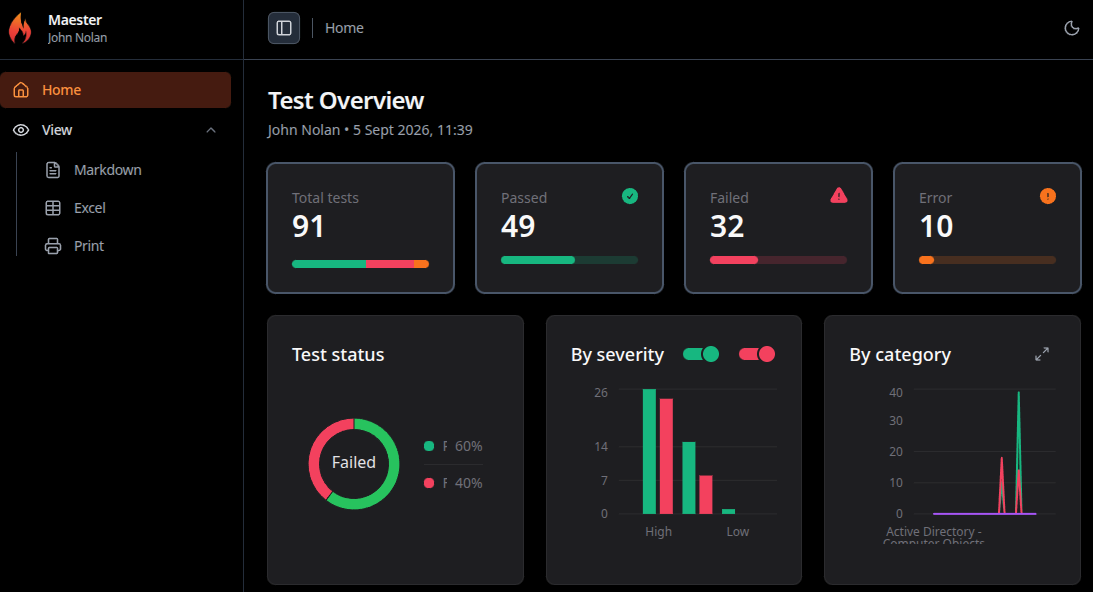
The repository also runs Maester tests on a schedule. Maester checks the tenant against Microsoft security recommendations and other identity controls, then publishes an HTML report as a workflow artifact.
Terraform detects differences from the configuration I've declared, while Maester checks the tenant against its security tests.
Use short-lived CI authentication
GitHub Actions uses federated credentials and OIDC to obtain tokens for the Entra application. This avoids storing a client secret that could remain valid after a workflow run finishes.
The CI application still needs permissions. Those permissions should be limited to the Terraform resources the repository manages, and an administrator must grant consent after permission changes.
What the repository makes visible
Terraform documentation and resource guides
I want the repository to explain why the configuration looks the way it does, rather than just contain the Terraform needed to deploy it.
- Terraform files show which tenant objects are managed.
- Companion Markdown guides explain provider choices, imports, and permissions.
- Repository skills route security and documentation work to focused guidance.
- Workflow files show how plans, applies, drift, and Maester tests run.
- Pull requests provide an audit trail for changes.
This is especially useful for resources that are not created from scratch. Some Entra policies are singletons that already exist in a tenant. Import blocks allow Terraform to adopt those objects while keeping the transition explicit.
Using AI Skills as project context
The repository also uses AI Skills to make its security and Terraform guidance available during development. These are focused instruction sets that help an AI assistant understand the repository before suggesting or changing code.
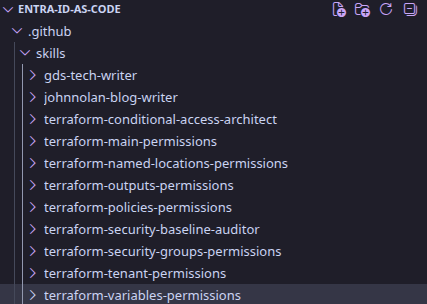
The Markdown files provide the context those Skills need. The root Copilot instructions map Terraform files to specialist Skills, while companion guides explain resources, permissions, imports, workflows, and operational decisions.
For example, a request to change terraform/conditional-access.tf should use the Conditional Access architect Skill. A security review of any Terraform file should use the security baseline auditor Skill, which brings Microsoft, NCSC, and Maester guidance into the review process.
In practice, this means I can ask an assistant to review a Conditional Access change and it already has the repository's guidance around break-glass exclusions, rollout states and Maester controls. When working on Terraform it also has context on where I've chosen to use the azuread provider and where I've had to fall back to msgraph_resource.
The Skills do not replace a plan review, tenant testing, or human approval. They make the repository's existing decisions easier to apply consistently and give new users a clearer place to start.
Topics for future posts
I've kept this post at a high level as there are several parts I want to cover separately. Some idea are
- Building a Conditional Access baseline with break-glass exclusions and controlled rollout states.
- Choosing between typed AzureAD resources and Microsoft Graph resources.
- Bootstrapping GitHub Actions with Entra federated credentials.
- Securing and dynamically restricting the Terraform state storage account.
- Importing singleton tenant policies and discovering group settings safely.
- Designing least-privilege Microsoft Graph permissions for Terraform and Maester.
- Using daily drift detection as an operational workflow.
- Combining Terraform configuration checks with Maester security tests.
- Using repository-scoped skills to review Terraform against Microsoft, NCSC, and Maester guidance.